

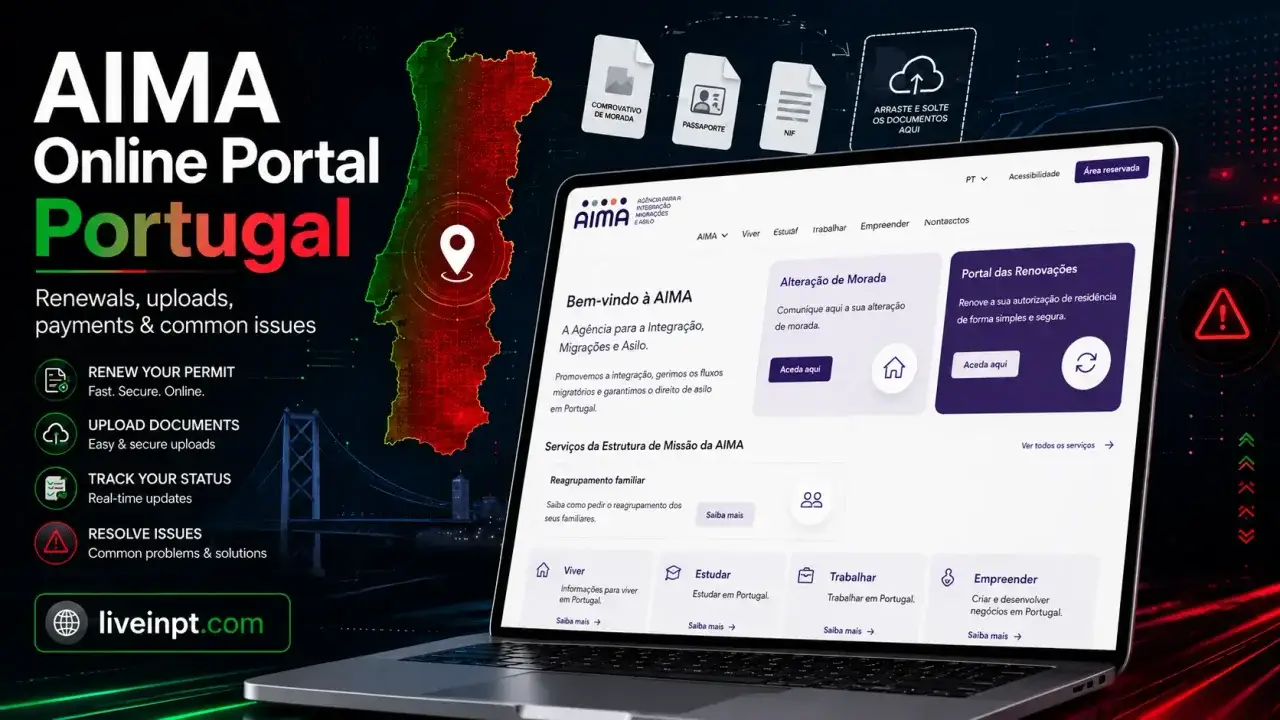
There are two AIMA online portals, and confusing them is one of the most common reasons people start their renewal at the wrong place. The Portal das Renovações (portal-renovacoes.aima.gov.pt) is for permits expiring from July 2025 onwards. The older services.aima.gov.pt handles everything else — older backlog cases awaiting email notification, first-time application submissions, and contact requests. Which one applies to you depends entirely on when your autorização de residência (residence permit) expires.
Since 1 July 2026, the Portal das Renovações also handles a third category that used to run through a different channel entirely: permanent residence certificates and cards for EU nationals and their family members. If that is what brought you here, jump to EU Nationals and Family Members below. The legal basis and the document you are applying for are different from the residence-permit renewal covered in the rest of this guide.
This guide covers all three routes in the order you are most likely to need them, and flags the points where the process most often breaks down.
Quick Answer: If your residence permit expired from 1 July 2025 onward, go to portal-renovacoes.aima.gov.pt, create an account, upload your documents, generate and pay the DUC (Documento Único de Cobrança — the official payment slip), and wait for AIMA to contact you about biometrics if needed. If your permit expired on or before 30 June 2025, you cannot self-initiate: wait for AIMA to email you with credentials before proceeding via services.aima.gov.pt. If you are an EU national (or a family member) applying for a permanent residence certificate or card, use the same portal: since 1 July 2026 it has replaced the AIMA Contact Form for these specific requests. In all cases, applications should be complete from the start — AIMA has moved toward stricter complete-file processing, so do not rely on being asked later for missing documents.
Which Portal Is Yours
AIMA runs two separate online services, and your eligibility window determines which door you use.
Portal das Renovações (portal-renovacoes.aima.gov.pt) opened on 11 July 2025 and is designed for holders of permits expiring from 1 July 2025 onward. Access rolls out month by month. AIMA opens access progressively by expiry month. Check the Portal das Renovações or AIMA notices for the current month available; the system may not accept submissions before your month is open.
Services.aima.gov.pt handles the older backlog — permits expired between 22 February 2020 and 30 June 2025 — as well as first-time residence permit applications, document uploads tied to existing cases, appointment tracking, and other AIMA processes. If your permit expired before July 2025, this is the platform you will eventually use, but only once AIMA’s mission structure contacts you.
Updated 28 September 2026: the portal covers three separate categories, each with its own eligibility window. The dates below are category-specific and can change as AIMA expands access.
| Category | Coverage window |
|---|---|
| Standard residence permits (autorizações de residência) | Expired or expiring 1 July 2025 – 31 December 2026 |
| ARI / Golden Visa permits (Autorizações de Residência por Investimento) | AIMA’s current ARI FAQ states expired 22 February 2020 – 31 December 2026; confirm the live portal window |
| Permanent residence certificates and cards for EU nationals and family members | Requests available since 1 July 2026; the statutory five-year residence requirement applies |
The latest accessible OA-AIMA platform update says ordinary residence-permit renewals expiring in November and December 2026 are now open. The AIMA notice that originally listed 31 October has not been replaced in every place, so check the live portal and AIMA notices before submitting. ARI is a separate category: AIMA’s current ARI FAQ states a window through 31 December 2026 for titles expired from 22 February 2020, while the OA-AIMA availability block still lists ARI only through 31 October 2026. Treat that as a live-channel discrepancy, not proof that ordinary and ARI renewals use identical windows or fields; follow the portal and the instructions attached to your case.
The reported 27 September announcement could not be independently located as a dated AIMA notice. This guide therefore records only the separately verifiable November–December expansion and keeps the ARI distinction visible.
One category still sits outside the Renewal Portal: the initial, five-year Cartão de Residência issued to non-EU family members of EU citizens (Article 15, Lei n.º 37/2006). AIMA says this card is requested at an AIMA store with a prior appointment arranged through the Contact Form by selecting “Cartão de Residente da União Europeia (CRUE).” What changed on 1 July 2026 is the permanent version of that same card, covered in the next section.
EU Nationals and Family Members: Permanent Residence Certificates and Cards
This section is a different legal process from the rest of this guide. Everything above concerns renewing an autorização de residência (residence permit) under Lei n.º 23/2007, the law that governs third-country nationals. What follows concerns a separate document: the permanent residence certificate or card issued under Lei n.º 37/2006, the law that transposes the EU’s free-movement directive for EU, EEA, Andorran, and Swiss citizens and their families. If you searched for an “Article 16” or “Article 17” process on this site expecting a Lei n.º 23/2007 spoke, this is not that; those article numbers belong to a different law entirely.
Who this applies to. Holders of a Certificado de Registo or Certificado de Residência who have accumulated the legal residence period needed for permanent status, and who now need the permanent version of their document, fall into two groups depending on who they are:
- EU, EEA, Andorran, or Swiss nationals apply for the certificado de residência permanente (permanent residence certificate) under Article 16 of Lei n.º 37/2006.
- Third-country national family members of an EU citizen apply for the cartão de residência permanente (permanent residence card) under Article 17.
What changed on 1 July 2026. Before this date, both requests went through AIMA’s Contact Form (contactenos.aima.gov.pt). Since 1 July 2026, they go through the Renewal Portal (portal-renovacoes.aima.gov.pt) instead, alongside the existing residence-permit renewal and ARI flows already described above. AIMA has framed this as part of a broader push to centralize services on the portal rather than the Contact Form, so it is worth checking back periodically for further categories moving over the same way.
NIF and NISS are a separate, limited change. AIMA’s 15 September 2026 notice removes the need to enter NIF and NISS during submission of these Article 16 and Article 17 permanent-residence requests, while the portal validates the data automatically. That does not remove NIF/NISS or tax and Social Security evidence from ordinary residence-permit renewals, ARI renewals, or unrelated Portuguese procedures.
What happens to requests already filed. If you submitted your request through the Contact Form on or before 30 June 2026, AIMA has confirmed it will continue processing under the previous procedure, so you do not need to resubmit. You can choose to file a fresh request through the portal instead, but nothing forces you to. If AIMA already scheduled a biometric appointment for you before 1 July 2026, that appointment stands as notified; the portal migration does not reset it.
Processing and fees. AIMA states a maximum processing time of three months from the date of request for both the certificate and the card. If AIMA determines in-person biometric data collection is needed after reviewing your portal submission, it schedules the appointment and notifies you of the date, time, and location. You do not book this yourself. Fees follow Portaria n.º 1334-D/2010 as amended; a separate €15 fee applies if you request delivery of the physical document by secure mail rather than collecting it in person. Check AIMA’s current fee table before paying, since these figures are updated periodically.
Do not use this new portal route for an initial Certificado de Registo. That non-permanent EU registration certificate covers residence beyond three months and up to five years and is requested from the Câmara Municipal for your area of residence. The Renewal Portal expansion concerns the permanent certificate or card available after the qualifying five-year period.
It is also worth not confusing this with EU long-term resident status, a separate status under a different EU directive that mainly serves third-country nationals rather than EU citizens themselves. The EU long-term residence permit guide covers that track in detail if that is what you actually need.
Before You Log In: Getting Your Documents Ready
Do not open either portal until your documents are complete and ready to upload. AIMA has moved toward stricter complete-file processing, so you should not assume you will be asked later for missing documents.
Standard documents required for most renewals:
| Document | Notes |
|---|---|
| Valid passport | Must have sufficient remaining validity; bring the original to any biometric appointment |
| Current or recently expired autorização de residência | Expired less than 6 months is the standard threshold for online processing |
| Non-debt declaration from Finanças | Proves tax compliance; download directly from portaldasfinancas.gov.pt using your NIF |
| Social security evidence, if applicable | Non-debt declaration and contribution record if you have a NISS. If your permit type normally does not involve Segurança Social, prepare an explanation and, where possible, a Certidão de Não Inscrição na Segurança Social |
| Proof of address (comprovativos de morada) | Recent rental receipt, utility bill in your name, or a certificate from your junta de freguesia |
| Permit-type specific documents | Employment contract, income proof, study enrolment — varies by your permit category |
Quick pre-upload checklist:
- Check that your passport, residence card, NIF, and AIMA records use the same name and date of birth.
- Confirm your AIMA email address is current before you register.
- Download fresh tax and Social Security documents where applicable.
- Save files as clear PDFs with simple names, such as
passport.pdforfinancas-no-debt.pdf. - Keep screenshots of login errors, submitted forms, DUC references, payments, and confirmation pages.
Before downloading your declarations, confirm your NIF (Número de Identificação Fiscal) is correctly registered with Finanças and your name and address match across systems. A non-debt declaration tied to a mismatched or inactive NIF will cause problems during AIMA’s review even if the document looks correct.
Use PDF files unless the portal field says otherwise. The portal may reject large, password-protected, unclear, or wrongly named files. Compress scans before you start, keep filenames simple, and follow the size limit shown on the upload screen.
If your social security record has any gaps — a recent change from employed to recibo verde (self-employment), a break in contributions, or a NISS registered only recently — pull the Segurança Social Direta declaration and check it reads clean before you open the portal. The NISS guide explains how to get your number regularised if there are outstanding issues.
Some D7 holders and other income-based residents are not registered with Segurança Social. If you do not have a NISS, do not guess or enter a wrong number. Prepare a short explanation and, where possible, include a Certidão de Não Inscrição na Segurança Social (Certificate of Non-Registration with Social Security). If the portal blocks you because of the NISS field, save the error screen and contact AIMA through the official form.
Step by Step: Portal das Renovações
This path applies to holders of permits expiring from 1 July 2025 onwards.
Step 1: Confirm your expiry month is open. The portal works on a monthly rollout. If your permit expires in, say, August 2026, the portal will not yet accept your application in March 2026. An error at login that says access is unavailable is often just this — your month has not opened yet. Check back at the start of your expiry month.
Step 2: Create your account. Go to portal-renovacoes.aima.gov.pt and register using the email address currently linked to your AIMA or former SEF records. This is important: the system sends your verification link, DUC confirmation, and any biometric appointment notification to that address. If you have changed email providers since your last interaction with Portuguese immigration services, update your address through the AIMA contact form at contactenos.aima.gov.pt before you attempt to register. Doing it afterwards, when nothing arrives, costs you time.
Step 3: Start your renewal request. Log in and select the renewal option for your permit type. The form will ask for your personal details, current permit number, and address in Portugal. If your address has changed since your last permit was issued, correct it first — use the AIMA contact form with the option “Portal de Renovações > Comunicar/retificar morada”. Submitting with an outdated address is a common source of delays, because correspondence and the physical residence card are dispatched to whatever address AIMA holds.
Step 4: Upload your documents. Upload each document in the category the system specifies. Do not merge unrelated documents into a single PDF to avoid upload limits — each category should contain only what that field requests. If a category calls for multiple items (several bank statements as income proof, for example), combine those specific pages into one PDF before uploading. Follow the upload size limit shown on the portal screen.
Step 5: Generate and pay the DUC. After submitting, the system generates a Documento Único de Cobrança — the official fee payment reference. There is a mandatory 24-hour hold before the DUC becomes payable. After that, you have 10 working days to pay. The payment can be made via Multibanco, MB Way, or internet banking. Set a reminder for the morning after the 24-hour hold ends and pay as soon as possible. If the 10-day window lapses, you will need to contact AIMA to reopen the payment, which adds delay.
Step 6: Track your application and wait. Once payment is confirmed, log back into the portal periodically to check your application status. AIMA will contact you by email if a biometric appointment is needed. If your biometric data on file is current and your passport remains valid, the renewal may process without a new appointment. But do not assume this — monitor your inbox and the portal status.
If Your Permit Expired Before July 2025
This route is not self-service. Holders of permits expired on or before 30 June 2025 are being contacted by AIMA’s mission structure (EMAIMA) in chronological order of expiry. You wait for AIMA to reach out.
When the email arrives, it will include a link to reactivate your credentials on services.aima.gov.pt. Once logged in, you generate a DUC, pay within the 10-working-day window, and wait for a biometric appointment invitation if needed. The steps from that point mirror the Portal das Renovações process.
The practical problem here is an outdated email address. If the address AIMA holds for you no longer exists — or was attached to a work domain you have since left — the notification will not reach you. Contact AIMA via contactenos.aima.gov.pt to verify and update your email before your renewal window comes up. This is not a step to skip.
Permits in this category were extended until 15 April 2026 inside Portugal. That deadline has now passed for most cases. If you are in this group and have not yet received a notification or completed renewal, treat it as urgent and contact AIMA immediately.
For a clearer picture of what the Cartão de Residência (the biometric card itself) looks like versus a standard autorização de residência, and what each document type covers, the AIMA residence card guide breaks down the difference and explains what each document is used for.
AIMA Portal Troubleshooting: Common Errors and What to Try
AIMA portal errors are frustrating because the screen often gives only a short message. Before you send repeated requests, identify the likely cause and keep evidence of what happened.
| Portal problem | What it may mean | What to try |
|---|---|---|
| No renewal option appears | Your expiry month may not be open yet, or your permit type may not be included in that portal route | Check that you are using the correct portal, try again when your expiry month is open, and use the AIMA contact form if your window should already be active |
| Email or recovery link never arrives | AIMA may have an old email address on file, or the message may be filtered | Check spam, wait briefly, then contact AIMA to update/confirm your email rather than repeatedly requesting new links |
| “Citizen not identified” or similar message | Your expiry month may not be open, or AIMA records may not match your card details | Compare your card details carefully, save a screenshot, and contact AIMA if the error continues after your month opens |
| Process or appointment already exists | AIMA may already have a process or appointment linked to your file | Do not create duplicate requests. Save the message and ask AIMA to check the existing process |
| NISS field blocks submission | Your NISS may be missing from AIMA records, or your permit type may not fit the portal logic | Enter the correct NISS if you have one. If you do not, prepare supporting explanation/non-registration proof and contact AIMA if blocked |
| DUC is not generated | The form may not have submitted correctly, or the system may be delayed | Check email/spam, log back in later, and avoid repeated duplicate submissions unless the portal clearly failed |
| DUC generated but payment is not visible | Bank or portal confirmation may take time | Keep payment proof, check again later, and contact AIMA if the status remains unchanged |
| File upload fails | File may be too large, password-protected, unclear, wrongly named, or in the wrong format | Compress PDFs, remove passwords, use simple filenames, and upload only what the field asks for |
| Portal times out | Session expired or browser/internet issue | Use a laptop, stable connection, updated browser, and save screenshots before and after submission |
Keep proof of every step. Do not rely only on the portal screen. Save screenshots of errors, submitted forms, uploaded documents, DUC references, payment confirmations, and approval declarations. If something goes wrong, those files may be your only proof that you tried to renew on time.
If the Portal Remains Blocked: Escalation Steps
If the problem is not solved through the portal, escalate methodically.
Step 1: Use the correct contact form path. Go to contactenos.aima.gov.pt. Choose “Portal de Renovações” where available, and include your full name, date of birth, nationality, phone number, email address, permit number, a screenshot of the error, and a copy of your permit card.
Step 2: Email AIMA directly if needed. Send the same information to AIMA’s general or renewal email channels and keep a record of every message.
Step 3: Create a paper trail. If the issue remains unresolved and your deadline is approaching, consider sending a carta registada (registered letter) explaining your renewal attempts and attaching copies of screenshots or emails.
What not to do: do not go to an AIMA office expecting counter staff to fix a portal login problem. Physical attendance is mainly useful for appointments, biometrics, or document checks. Portal access problems usually need to be handled through the online contact channels.
Common Mistakes
Mistake: Waiting until the portal opens to prepare documents
The portal may only accept your renewal during your active window. Prepare the passport scan, residence-card scan, tax declaration, Social Security proof where applicable, address proof, and permit-specific documents before you log in.
Mistake: Using an outdated email address
The portal sends verification links, DUC information, biometric messages, and status updates to the email AIMA has on file. If you changed email providers, jobs, or personal addresses since your last SEF/AIMA interaction, update the email before registering.
Mistake: Submitting unclear or mismatched documents
A blurry scan, old address, different name spelling, expired passport, wrong NIF, or mismatched NISS can delay review. Check every field against your passport, residence card, Finanças, and Segurança Social records.
Mistake: Misreading the DUC payment window
The DUC is valid for 10 working days from issuance, but it may not be payable immediately. Note the generation date, try again after the hold period, and pay as early as possible.
Mistake: Assuming Portugal’s extension solves travel problems
Portugal’s validity extensions are domestic administrative measures. Other Schengen countries and airlines may not treat an expired card the same way. If you must travel while renewal is pending, check destination rules and carry all AIMA correspondence.
Mistake: Treating every portal error as a personal mistake
Some errors come from timing, records, migration data, or existing processes already attached to your file. Save screenshots and contact AIMA instead of repeatedly submitting new requests.
Mistake: Using the old Contact Form for a permanent residence certificate or card
If you are an EU national or family member applying for the permanent residence certificate (Article 16) or card (Article 17), the Contact Form no longer processes new requests of this type as of 1 July 2026. Use the Renewal Portal instead. If you already had a request in with the Contact Form before that date, it is still being processed and does not need to be resubmitted.
Frequently Asked Questions
Can EU citizens now apply for their permanent residence certificate through the AIMA Renewal Portal?
Yes. Since 1 July 2026, the Renewal Portal (portal-renovacoes.aima.gov.pt) handles applications for the permanent residence certificate for EU nationals (Article 16, Lei n.º 37/2006) and the permanent residence card for their family members (Article 17). This replaced the Contact Form, which no longer accepts new requests of this type.
I already applied for my EU permanent residence certificate through the Contact Form. Do I need to reapply on the portal?
No. AIMA has confirmed that requests submitted through the Contact Form up to 30 June 2026 remain valid and continue processing as before. You can optionally submit a fresh request through the Renewal Portal instead, but you are not required to.
What do I do if the portal keeps showing an error I cannot resolve?
Use the AIMA contact form at contactenos.aima.gov.pt and select “tipo de assunto: Portal de Renovações” and “subtipo: Portal de Renovações”. Include your full name, date of birth, nationality, phone, email, permit number, a screenshot of the error, and a copy of your permit. Also email geral@aima.gov.pt and renovacao.ar@aima.gov.pt with the same details. If you receive no resolution, send a carta registada (registered letter) to AIMA setting out your attempts — this creates a legal record showing the failure was not yours.
I am a D7 visa holder and I do not have a NISS. Can I still renew online?
Some D7 and income-based applicants are not normally registered with Segurança Social, but the portal or AIMA review may still ask for social security evidence. If you do not have a NISS, prepare a short explanation and, where possible, a Certidão de Não Inscrição na Segurança Social. If the portal blocks you, save a screenshot and use the AIMA contact form.
The portal says my documents are already associated with an existing appointment I know nothing about. What does that mean?
This usually means AIMA already has a process or appointment linked to your file, sometimes because of SEF-to-AIMA migration records. You usually cannot clear it yourself. Submit a contact request through contactenos.aima.gov.pt with your permit number and a screenshot of the message.
Which AIMA portal do I use to renew my residence permit?
If your autorização de residência expired from 1 July 2025 onward, use portal-renovacoes.aima.gov.pt when your expiry month is open. If it expired on or before 30 June 2025, wait for AIMA/EMAIMA email instructions directing you to services.aima.gov.pt.
Can I apply for renewal before my permit expires?
You should apply within your expiry month. The Portal das Renovações opens for each calendar month’s expiries on a rolling basis. Trying to apply before your month is live produces an error. Start preparing documents 90 days in advance so you are ready when access opens.
What happens if my AIMA portal application is rejected for being incomplete?
AIMA has moved toward stricter complete-file processing. Do not rely on being asked later for missing documents. Upload a complete file from the start, save screenshots, and keep copies of everything submitted.
How long does the DUC payment window last?
The Documento Único de Cobrança (DUC) payment slip is valid for 10 working days from the date of issuance, but cannot be paid in the first 24 hours. Do not wait until day 10. If the window lapses, contact AIMA through the official contact channel to reopen the process.
Do I need a biometric appointment after submitting via the AIMA renewal portal?
Not always. If AIMA already holds your current biometric data and your passport has not expired, a new appointment may not be required. AIMA will contact you by email if one is needed. For new applicants, biometric appointment slots continue to carry long waiting times.
My permit expired before July 2025. Do I have to wait for AIMA to contact me?
Yes. Permits expired on or before 30 June 2025 are handled by AIMA’s mission structure, which notifies holders in chronological order of expiry by email. If you have not received a notification and your registered email may be outdated, update it via the AIMA contact form before your window comes and goes.
Is my expired residence permit valid for travel outside Portugal?
No. The extensions granted by AIMA are valid inside Portugal only. Schengen member states and other countries are not bound by Portugal’s administrative decisions to extend permit validity. Check destination-country entry rules individually and carry official AIMA correspondence confirming your legal status alongside your expired card.
What file format and size are required for AIMA portal document uploads?
Use PDF files unless the portal field says otherwise. The portal may reject large, password-protected, unclear, or wrongly named files. Compress PDFs, remove password protection, and check the size limit shown on the upload screen before submitting.
Can I use the AIMA renewal portal from outside Portugal?
The renewal portal is intended for residents in Portugal. If you are outside Portugal, check your situation carefully before submitting or travelling, especially if your card has expired.
What is the declaração with a QR code that the portal issues?
Once AIMA approves your renewal, you can download a declaração (declaration) directly from the portal. It carries a QR code for verification of your legal status. It is useful as interim proof of status while you wait for the physical residence card to be produced and mailed. Check individual country rules before relying on it for international travel.
The most important step happens before you open the portal: confirm your email address with AIMA is current, and have every required document ready in PDF before you log in. Do not assume you can save progress or fix a submission after it has been sent. If your renewal goes through and you start thinking about what comes next — whether your years of legal residence count toward permanent status — the Portugal permanent residence after 5 years guide explains what qualifies and when the clock effectively starts.