

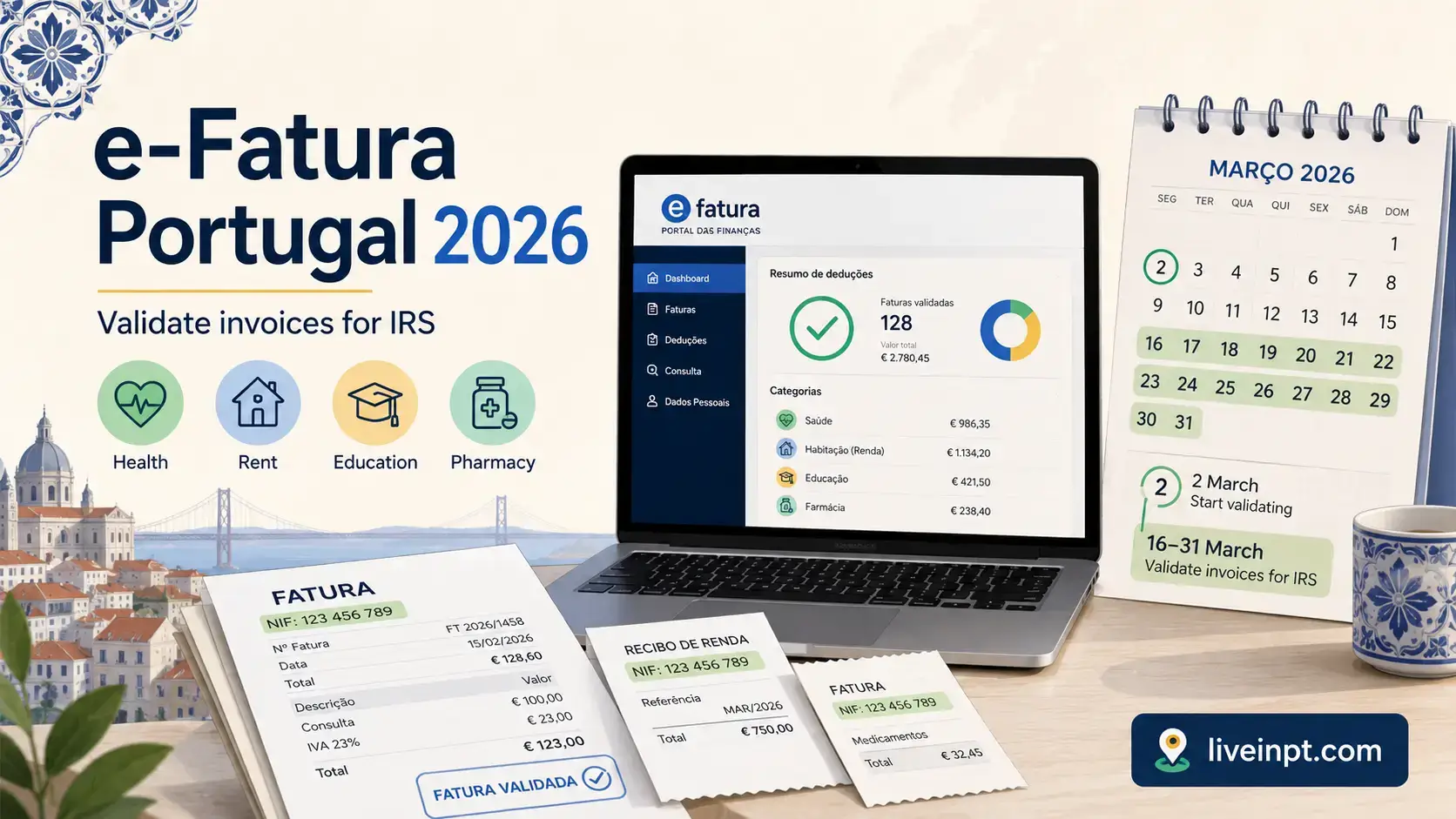
e-Fatura is the place to check whether invoices issued with your NIF were recorded correctly before they feed into your Portuguese IRS deductions. It is separate from the main IRS return, and simply asking for your NIF on a receipt is not always enough: you still need to check for missing invoices, complete any invoices waiting for information, and confirm that each expense is in the correct sector.
For the 2025 tax year, the invoice-confirmation deadline was 2 March 2026. That deadline has passed, as has the 16–31 March review period and the normal April–June IRS filing window. The practical task now is to understand what AT recorded, keep evidence for any correction, and use the same validation process during the next e-Fatura cycle rather than waiting until the IRS return is due.
Quick Answer: Log in to e-Fatura with your NIF and Portal das Finanças credentials, choose Adquirente, open invoices marked “Complementar Informação Faturas”, fill in the missing information, and check that each invoice is assigned to the right sector. Compare the portal with your receipts and register any invoice that is missing. For 2026 IRS deductions relating to 2025 expenses, AT set 2 March 2026 as the confirmation deadline.
What e-Fatura Is and Why It Matters for Your IRS Return
Portugal introduced mandatory electronic invoicing for businesses in 2013. The rule is simple: every business must issue an invoice for every transaction, and if a consumer requests it, the invoice must include their NIF. Those invoices flow to AT and become the basis for most IRS deductions.
The system exists for two reasons. AT can monitor business revenue and catch under-reporting. Consumers get a paper trail that automatically feeds their annual deduction calculation. In theory, you just spend money, give your NIF, and the deductions appear.
In practice, invoices sometimes land in the wrong category, arrive late, or do not appear at all. That is why the annual validation step matters.
e-Fatura is a distinct portal from Portal das Finanças. They share the same login credentials (your NIF and password, or Chave Móvel Digital), but they live at different addresses. e-Fatura lives at faturas.portaldasfinancas.gov.pt. Many people never go there until filing season and only discover what is missing after the deadline has passed.
The 2026 e-Fatura Deadline and What You Can Still Do
For income earned in 2025, the deadline to validate and classify invoices in e-Fatura was 2 March 2026. The legal deadline is end of February; in 2026, the last day of February fell on a Saturday, so AT transferred the obligation to the next working day — Monday, 2 March.
That same date also applied to updating your household composition (agregado familiar), which affects joint filing and dependent-related deductions.
AT then opened the deduction-review and complaint period from 16 to 31 March 2026, followed by the normal Modelo 3 filing period from April through June. Those ordinary 2026 windows are now closed.
You can still inspect the records under “Benefício em IRS” and compare them with the return you filed. If you discover that the filed return is wrong, the correction route is generally a declaração de substituição rather than reopening the invoice-classification window. Keep the supporting invoices and act promptly, because the correct treatment depends on the expense category and when the correction is filed.
How to Access e-Fatura Without Getting Lost in Portal das Finanças
Go directly to the e-Fatura portal at faturas.portaldasfinancas.gov.pt. Do not try to navigate there from the main Portal das Finanças — the menu structure is not intuitive and many users end up on the wrong page.
Log in with the same credentials you use for the main portal: NIF plus password, or via Chave Móvel Digital (CMD). If you have never set up portal access, the guide to Portal das Finanças covers that process.
Once inside e-Fatura, click Adquirente (Consumer). That takes you to your personal invoice dashboard. You are looking at invoices issued to your NIF by Portuguese businesses during the previous tax year.
How to Validate Invoices in e-Fatura Step by Step
Use this order so you do not mistake a visible invoice for a fully validated one:
- Open the consumer area. After choosing Adquirente, select the tax year you want to review.
- Start with invoices needing action. Open “Complementar Informação Faturas” and complete the information AT is asking for.
- Separate personal and professional spending. If you are self-employed, indicate whether an invoice relates wholly or partly to your business activity. Personal expenses should not be assigned to professional activity just because you also file recibos verdes.
- Check the sector. Confirm health, education, housing, general family, or another available sector only where it matches the expense and the issuer’s registered activity. The portal will not allow every business to be assigned to every category.
- Compare the list with your receipts. If an invoice with your NIF is absent, use the missing-invoice registration option and enter the details from the document. Keep the original receipt in case AT asks for proof.
- Review the deduction summary. After dealing with pending and missing invoices, check “Benefício em IRS”. This is the AT calculation that later feeds the deduction side of the return; it is not the same as validating each invoice.
The important distinction is between recorded, classified, and deductible. An invoice can appear in e-Fatura but still need information. A classified invoice can still produce no extra deduction if the relevant cap has already been reached or the expense does not meet that category’s tax rules.
What You See Inside e-Fatura
Your dashboard shows invoices grouped by status. The key status to look for is “Complementar Informação Faturas”. This means AT has received an invoice but it lacks enough information to be automatically categorised. These need manual action before the deadline.
The dashboard also lets you review invoices already assigned to a sector and register a document that never arrived. A pharmacy invoice, for example, may appear under “Saúde” (Health) or “Geral” (General). The sector matters because the deduction rules and limits differ, but the choice must still match the business’s registered activity.
Before moving on, you may also see Fatura da Sorte inside the e-Fatura environment. This is a government-run prize draw linked to eligible invoices with your NIF. It does not change your IRS return and normally does not require action; it is simply part of the invoice system that many foreigners notice and wonder about.
The Deduction Categories That Matter Most
| Category | What usually qualifies | Deduction rate | Annual cap |
|---|---|---|---|
| Health (Saúde) | Doctor visits, prescriptions, hospital, dentist, health insurance at reduced VAT | 15% | €1,000 |
| Education (Educação) | School fees, tuition, university costs, textbooks | 30% | €800 |
| Housing (Habitação) | Registered residential lease rent, eligible mortgage interest (loans before 31 Dec 2011) | 15% | Rent cap should be checked in Portal das Finanças for 2026; older sources often show €750, while some 2026 updates show higher limits. Mortgage interest cap usually remains separate. |
| General family expenses (Despesas Gerais Familiares) | Supermarkets, clothing, general retail, utilities | 35% | €250 per taxpayer |
| VAT deduction sectors | Restaurants, mechanics, hairdressers, veterinarians, public transport passes | 15% of VAT paid | €250 |
Rent cap note for 2026: published third-party summaries do not all show the same rent-deduction cap for the 2026 filing season. Treat the table above as a practical guide, but verify the final cap in Portal das Finanças or with an accountant when filing. The important e-Fatura point is the same either way: rent only helps your IRS return if the rental contract and receipts are correctly registered with AT.
These caps apply per household, not per person in all cases. Households with dependants or lower incomes may have higher effective limits. The overall deduction a taxpayer can claim may also be subject to a global cap that phases in at higher income levels.
One important detail for foreigners: pharmacy items taxed at the standard 23% VAT rate require a medical prescription to count as health expenses. Items at the 6% reduced rate count automatically. If you bought prescription medication and gave your NIF, the invoice should appear under Saúde — but always check.
What Happens If an Invoice Is Missing, Pending, or Misclassified
Missing: The expense is simply not counted. You can register it manually in e-Fatura before the deadline, or add it directly in Anexo H during Modelo 3 filing. For this you need: the issuing business’s NIF, the invoice date, and the amount.
Pending (Complementar Informação): AT received it but cannot categorise it automatically. Open it and confirm or reassign. If you do nothing, it usually defaults to “General” — which has the lowest deduction rate.
Misclassified: A restaurant categorised under Health, or a pharmacist listed under General. You can reassign invoices to a different sector before the validation deadline, provided the business is actually registered under that sector’s activity code with AT. You cannot freely reassign to any sector you prefer — it must match the issuing business’s registered activity.
After the validation deadline, corrections become harder. During Modelo 3 filing you can add manually registered expenses in Anexo H, but you cannot retroactively change AT’s category on invoices it already locked.
The March Review Window: Your Second Chance Before Filing
After the 2 March e-Fatura validation deadline, AT calculates your provisional deductible expenses. For IRS 2026, the official review and complaint window runs from 16 to 31 March 2026.
This window is useful, but it is not the same as the original classification deadline. In March you can review AT’s deduction totals, check for missing or incorrect values, and complain about general family expenses or invoices with VAT deductions. For health, education, housing, care-home, and domestic-work expenses, the practical correction route may be through Anexo H when you file Modelo 3. If you change amounts manually, keep the invoices because AT can ask for proof later.
For a full year-by-year deadline view, see the Portugal tax calendar 2026.
Rent, Health, Pharmacy, and Foreign Expenses: The Tricky Cases
Rent: The housing deduction for rental costs only applies if the lease agreement is registered with AT. Many foreign renters pay rent every month and assume it counts. If the landlord never registered the contract through the Portal das Finanças, the deduction is unavailable — even with proof of payment. This is worth confirming with your landlord before assuming the deduction exists.
Health and pharmacy: Prescriptions matter. Pharmacy items at the standard VAT rate (23%) need a prescription attached to count as health expenses. Items at the 6% rate — which covers most common medication — count without one. Always give your NIF at the pharmacy; receipts without a NIF do not appear in the system.
Foreign medical and education expenses: These do not come through e-Fatura automatically. If you paid for healthcare or education in another EU or EEA country that has a tax information exchange agreement with Portugal, you can declare it manually via the Portal das Finanças. You enter the key details from the invoice. This applies to things like dental work in Spain or university fees in France.
Self-employed invoices: If you file recibos verdes and some of your purchases relate to business activity, those invoices should be assigned to your professional activity category in e-Fatura — not to personal deduction categories. Business expenses follow different rules and appear in Anexo B of Modelo 3, not Anexo H.
IRS Automático and e-Fatura: Why Foreigners Should Be Careful
IRS Automático is the pre-filled return AT prepares for taxpayers with straightforward situations. For eligible people, it means logging in, checking the pre-filled figures, and clicking confirm. AT uses e-Fatura data, employer reports, and bank information to build the return.
The problem for foreign residents is that IRS Automático is designed for simple cases. If you have any of the following, you need Modelo 3, not the automatic route:
- Foreign-source income of any kind
- NHR or IFICI tax status
- Capital gains, dividends, or interest not already subject to final Portuguese withholding
- Rental income from Portuguese property
- Annex J obligations
The automatic return will not prompt you to declare these. If you accept a pre-filled return that omits foreign income, you may have filed incorrectly — a problem AT may raise later.
Even if you qualify for IRS Automático, check the e-Fatura deduction summary before confirming. A pre-filled return is only as accurate as the underlying data.
The full IRS filing guide for foreign residents covers Modelo 3, Annex J, and when to use each approach.
Common Mistakes
Mistake: Going to Portal das Finanças and not finding e-Fatura
The e-Fatura system is separate from the main portal. The menus are linked but many users never find the Adquirente section because they are looking in the wrong place.
Mistake: Assuming every invoice lands in the correct category automatically
AT assigns invoices based on the issuing business’s registered activity code. A mixed-use shop registered as a general retailer will file its invoices under General, even if you bought vitamins there. Check your categories — do not assume.
Mistake: Not giving your NIF at the time of purchase
An invoice without your NIF does not appear in your e-Fatura account. Full stop. Always request an invoice with your NIF at pharmacies, doctors, dentists, supermarkets, restaurants, and hairdressers. If a business says it cannot include your NIF, ask for the receipt and register the invoice manually. Under Portuguese law, they cannot legally refuse. A NIF is required for this — if you do not yet have one, that should be the first step.
Mistake: Missing the 2026 validation deadline and expecting full category control later
The 2 March 2026 deadline was when you had the most control. After it passed, AT locked classifications for many invoices. During Modelo 3 filing you can add missing items in Anexo H, but you are working around the system rather than within it.
Mistake: Assuming rent counts when the landlord never registered the contract
Rental deductions require a registered lease. Many landlords in Portugal, especially in the private rental market, have not registered their contracts with AT. If yours has not, you cannot claim the housing deduction, regardless of how much rent you paid. Check with your landlord directly.
Mistake: Using IRS Automático without checking whether it applies
Foreign income, Annex J, IFICI or NHR status, and capital gains all require Modelo 3. IRS Automático will not flag these omissions. Accepting the pre-filled return when you should have filed a full Modelo 3 is a filing error.
Mistake: Ignoring invoices marked as pending or needing complementary information
“Complementar Informação Faturas” in your e-Fatura account means AT is waiting for you to act. These invoices default to General if ignored — the lowest-rate deduction category. Take a few minutes before the deadline to check and resolve them.
Mistake: No IBAN registered before filing season
If you expect an IRS refund, make sure your IBAN is correct in Portal das Finanças before filing. Refunds are paid to the bank account registered with AT. If you changed banks, use a non-Portuguese account that AT cannot process smoothly, or have no IBAN on file, the refund can be delayed.
Mistake: Forgetting that errors can be corrected with a replacement declaration
If you submit Modelo 3 and later find a mistake, the correction mechanism is usually a declaração de substituição — a replacement return filed through the same IRS system. It replaces the original return. The timing matters, so correct mistakes quickly rather than ignoring them.
If you are under 35 and filing your return for the first years of work, check the IRS Jovem Portugal 2026 guide before submitting so you do not miss the youth exemption.
Frequently Asked Questions
What is e-Fatura in Portugal?
e-Fatura is the Portuguese tax authority’s (AT) digital invoicing system. Every time a business issues you an invoice with your NIF, that invoice is transmitted to AT and recorded in your personal e-Fatura account. The system tracks your annual expenses by category — health, education, housing, general family — and feeds those figures directly into your IRS deduction calculation.
How do I access the e-Fatura portal?
Go to the e-Fatura portal and log in with your NIF and Portal das Finanças password, or via Chave Móvel Digital. Once inside, click ‘Adquirente’ to see your invoices as a consumer. This is a separate portal from the main IRS filing system.
What is the e-Fatura deadline for IRS 2026?
For 2025 income, the deadline to confirm and classify invoices in e-Fatura was 2 March 2026. The legal end-of-February deadline fell on a Saturday, so AT moved it to the next working day. If you missed this, some corrections remain possible when filing Modelo 3.
What happens if I miss the e-Fatura deadline?
You lose fine-grained control over invoice category assignment. Invoices that were unconfirmed or misclassified by the deadline may not shift to the most beneficial category. During IRS filing, you can still review what AT has in Anexo H, but your ability to change the category of individual invoices is limited after the deadline passes.
Can I still add invoices manually after the deadline?
You can register missing invoices in e-Fatura at any time, but the deadline for the full validation and classification process was 2 March 2026. During Modelo 3 filing (April–June), you can manually add eligible expenses in Anexo H that were never captured in e-Fatura — for example, foreign medical expenses or expenses from businesses that do not use Portuguese billing systems.
What deductions can I claim through e-Fatura?
Health (15% of eligible expenses, up to €1,000), education (30%, up to €800), housing/rent (15% of rent on a registered lease, up to €750), general family expenses (35%, up to €250 per taxpayer), and a VAT-based deduction from specific service sectors including restaurants, mechanics, hairdressers, and veterinarians.
Why can’t I see my pharmacy receipts in e-Fatura?
Some pharmacy invoices are registered by the pharmacy under a healthcare or parafarmácia category and may appear without your NIF if you did not request it at purchase. Pharmacy items taxed at the standard 23% VAT rate require a medical prescription to count as health expenses. Items at the reduced VAT rate (6%) generally count automatically. If a receipt is missing entirely, you can register it manually in the portal.
My landlord didn’t register our contract — can I still claim the rent deduction?
No. The housing deduction for rent requires the lease to be registered with AT through the Portal das Finanças. If your landlord has not done this, the deduction is not available, regardless of what you actually paid in rent. This is one of the most common reasons foreigners lose the housing deduction.
Do foreign medical expenses appear in e-Fatura automatically?
No. Expenses incurred outside Portugal do not appear in e-Fatura automatically. You can submit them manually through the Portal das Finanças — navigate to e-Fatura and look for the option to communicate foreign health, education, or housing expenses from eligible EU and EEA countries. You will need to enter the key details from the invoice or equivalent document.
What is IRS Automático and should foreigners use it?
IRS Automático is AT’s pre-filled return option for taxpayers with simple income situations — usually only Category A employment or Category H pension income from Portuguese sources, no foreign income, and no unusual deductions. Most foreigners living in Portugal should not use it without careful verification. If you have any foreign income, Annex J obligations, IFICI/NHR status, or capital gains, you need Modelo 3 and the automatic route may omit critical items.
Can a business legally refuse to issue an invoice with my NIF?
No. Under Portuguese law, businesses must issue an invoice for every transaction and must include your NIF if you request it. If a business refuses, you can report the refusal through the Portal das Finanças. Without your NIF on the invoice, the expense will not appear in e-Fatura.
How do I check my deduction total before filing IRS?
Log into the e-Fatura portal and look under ‘Benefício em IRS’. This section shows AT’s calculated deduction summary based on the invoices registered with your NIF. Check it before you begin filing Modelo 3 so you know what is already captured and what needs to be added manually in Anexo H.
Before you open Modelo 3, spend ten minutes in e-Fatura under “Benefício em IRS.” That number tells you what AT thinks your deductions are. If it is lower than expected, that is the moment to investigate — not after you have submitted.
The next step is the IRS filing guide for foreign residents, which covers Modelo 3, Annex J, and what the settlement process looks like after you submit.